
How to Spot a Scam Email or Text: A Beginner's Safety Checklist
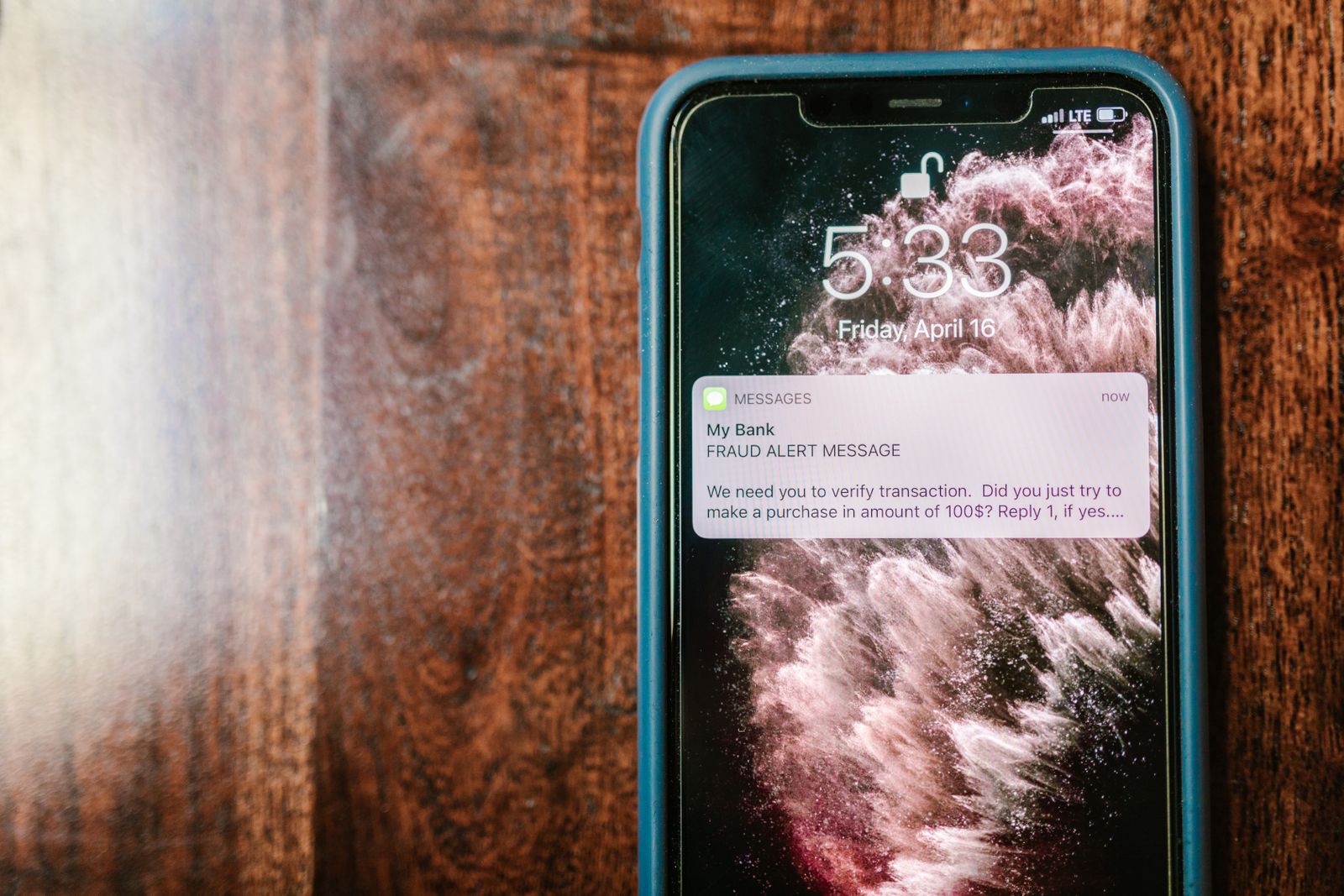
Scam emails and texts are now the most common way criminals reach ordinary people — and they are getting harder to spot. The good news is that almost every scam message, however polished, gives itself away if you know what to look for. This checklist walks you through the red flags, the scams doing the rounds right now, and exactly what to do if you have already clicked.
Why these scams work
Scammers do not need to hack your computer. They hack your emotions. Nearly every scam message is engineered to make you feel one of three things: panic ("your account will be locked"), greed ("you've won a prize") or curiosity ("is this you in this photo?"). The goal is always the same — get you to act fast, before your slower, sceptical brain catches up. The single most powerful defence is simply to slow down. No genuine bank, delivery company or government agency will ever punish you for taking ten minutes to check.
The beginner's checklist: 10 red flags
Run any suspicious message through these checks:
- It creates urgency. "Act within 24 hours," "final warning," "account suspended today." Pressure is the scammer's favourite tool.
- The sender's address looks off. The display name says "Apple" or "HSBC," but the actual address is a jumble like
support@apple-secure-login.xyz. Always check the full address, not just the name. - The greeting is generic. "Dear customer" instead of your real name is a warning sign — real companies usually personalise messages.
- It asks for secrets. No legitimate organisation will ever ask for your password, full card number, PIN or one-time login code by email or text. Ever.
- The link doesn't match. On a computer, hover over the link; on a phone, press and hold it. If the destination is a strange domain rather than the company's real website, do not tap.
- There's an unexpected attachment. Invoices, "shipping labels" and voicemail files you never asked for are classic malware delivery.
- It asks you to pay oddly. Gift cards, cryptocurrency, wire transfers and payment apps are scammer favourites because the money is nearly impossible to recover.
- It threatens or over-promises. Arrest threats, court action — or the opposite, prizes and refunds you never applied for.
- Something feels subtly wrong. Odd phrasing, a slightly wrong logo, a tone no real company would use. Trust that instinct.
- It wants you to move the conversation. "Reply here" or "call this number" instead of the official app or website. Scammers need you off the official channels, where the warnings live.
One golden rule covers most of this: never use the contact details in the message itself. Open the company's app or type its real website address yourself, or call the number on the back of your bank card.
The scams going around right now
- Delivery scams. "Your parcel couldn't be delivered — pay a small redelivery fee." The fee is small on purpose; the real goal is your card details. Real couriers do not collect fees by text link.
- Bank and "fraud department" scams. A text or call claims a suspicious payment needs approving, then walks you into moving money to a "safe account." Your bank will never ask you to move money to keep it safe.
- Prize and refund scams. You've "won" a gift card or are "owed a tax refund" — just enter your details to claim. The prize does not exist.
- Crypto and investment scams. Messages and social posts promise guaranteed returns or a "mentor" who will trade for you. Guaranteed crypto profits are always a lie, and the dashboard showing your "gains" is fake.
- Family emergency scams. "Hi Mum, I broke my phone, this is my new number — can you send money?" Always call the original number to check before sending anything.
If you already clicked — do this now
Do not panic, but do act quickly:
- If you entered card or bank details, call your bank immediately using the number on your card. Ask them to block the card and flag the fraud. Speed matters.
- If you entered a password, change it at once from a different, clean device — and change it anywhere else you reused it. Turn on two-factor authentication.
- If you sent money, contact your bank or the payment service straight away and explain it was a scam. Recovery is not guaranteed, but fast reports sometimes stop transfers.
- If you downloaded something, run a full scan with your device's built-in security software and consider a reputable antivirus check.
- Watch your accounts for unfamiliar transactions over the next few weeks, and be extra suspicious of follow-up "refund" messages — scammers often strike twice.
How to report it
Reporting takes two minutes and genuinely helps investigators and filters catch the next batch.
In the US: forward scam texts to 7726 (which spells SPAM), report at ReportFraud.ftc.gov, and report major fraud to the FBI's IC3.gov. You can also forward scam emails to the Anti-Phishing Working Group at reportphishing@apwg.org.
In the UK: forward suspicious texts free to 7726, forward scam emails to report@phishing.gov.uk (run by the National Cyber Security Centre), and report fraud to Action Fraud online or on 0300 123 2040.
Habits that keep you safe
Slow down, verify through official channels, keep passwords unique with a password manager, turn on two-factor authentication everywhere, and keep your phone and apps updated. Scams evolve constantly, but they all depend on the same trick: rushing you. Refuse to be rushed, and you have already beaten most of them.
Sources: US Federal Trade Commission — consumer advice on phishing and scam messages, consumer.ftc.gov, FBI Internet Crime Complaint Center (IC3), ic3.gov, UK National Cyber Security Centre — phishing reporting guidance, ncsc.gov.uk, Action Fraud — UK fraud and cyber crime reporting, actionfraud.police.uk, Image: Pexels / RDNE Stock project